Spaces, capacities and enquiries in one block
Show your private spaces properly: images, capacities and the documents serious organisers ask for, with a routed enquiry form right beside them.
Private hire
2 spacesThe Snug
Seats 12Fireplace, its own bar hatch, sample menus attached
The Harbour Room
Seats 30 · Standing 45Water views, private entrance, floor plan attached
Enquiry form directly below: date, party size, space. Routed to the events inbox, not the general one.
Private hire is the highest-value page on the site
A party of thirty is worth more than a table of two, and the organiser booking it has questions: how many fit, what does it look like, what do menus cost. Answer those on the page and the enquiry that arrives is half-qualified already.
- Each space with images, capacity and its own description
- Attach the floor plan, sample menus or a packages PDF
- A routed enquiry form beside the spaces, not on another page
- Private dining enquiries reach the right inbox, not the general one
- Date, party size and space fields built for hospitality enquiries
- Spam protection and GDPR consent on the form as standard
- Enquiries land in a tracked inbox with statuses, not an email void
- Same two-line embed as every other Foldout widget
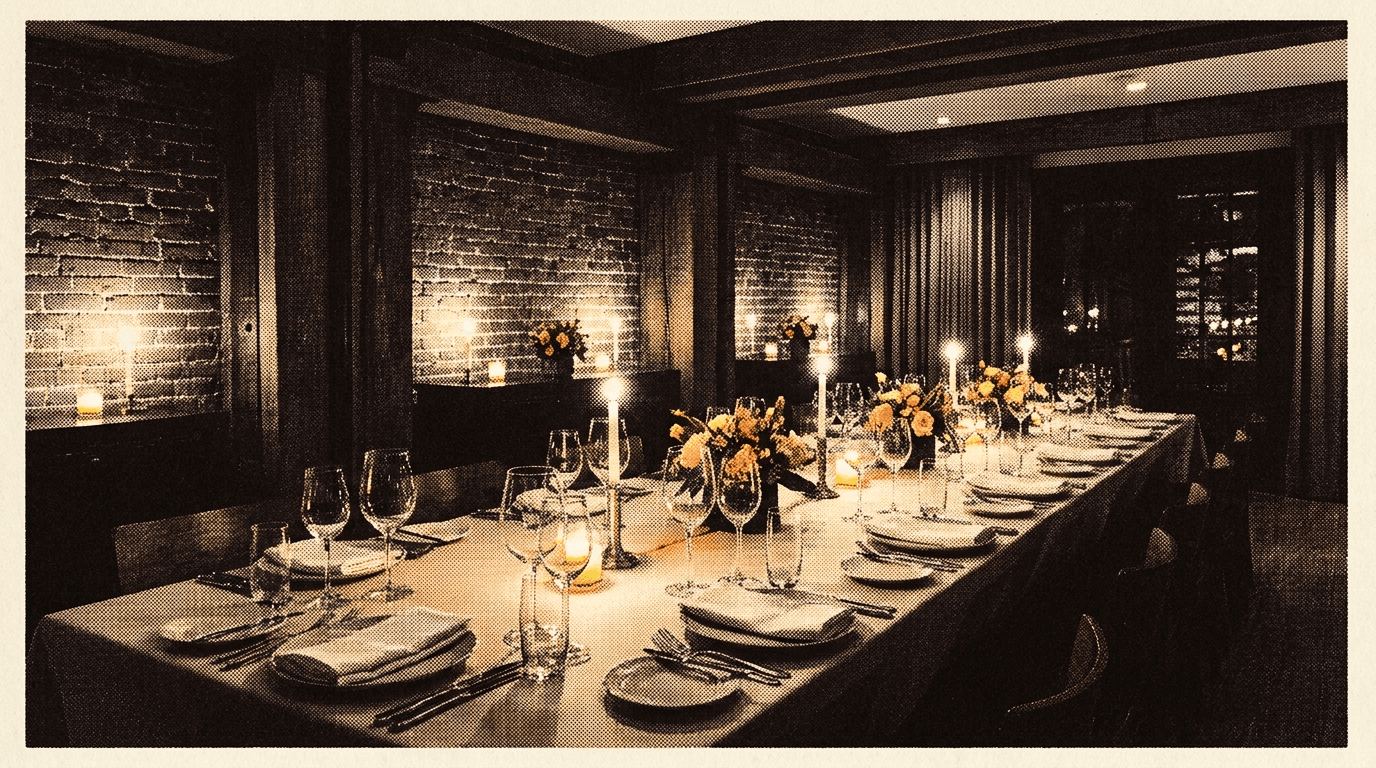
A private dining widget made for hospitality, with core data hosted in the EU
EU data hosting
Core application and enquiry data is stored in Supabase's Ireland region, with subprocessors disclosed in our DPA.
GDPR-first by design
Built for UK hospitality from day one. Consent, retention and data rights handled properly.
Encrypted end to end
Encrypted in transit and at rest. The widget adds no tracking pixels to your site, and we never sell your data.
Works with any builder
WordPress, Webflow, Squarespace, Wix, Elementor, Shopify, GoDaddy or custom HTML.
Private dining widget questions
How do I add a private dining page to my restaurant website?
Create a page on your site for private hire, then paste Foldout's two-line embed into it. The widget renders your spaces with images, capacities and documents, with an enquiry form alongside. The content is managed in the Foldout dashboard from then on.
Can each space have its own details?
Yes. Each private space is its own entry: name, description, capacity, images and any documents worth attaching, such as sample menus or a floor plan. Guests see what fits their party before they enquire, which raises the quality of the enquiries that arrive.
Where do the enquiries go?
Wherever you route them. Private dining enquiries can go to a different inbox from general contact, so the events person sees them first. Every enquiry also lands in the dashboard inbox with a status, so nothing lives or dies by one email.
What does the enquiry form ask for?
Hospitality-shaped fields: date, party size, the space they are interested in, contact details and their message, with consent handled properly and spam filtered before it reaches you. You choose the fields; the point is that answers arrive structured instead of buried in prose.
Is this different from the venue enquiry form widget?
It is the enquiry form plus the showroom. The venue enquiry form widget is the form alone, for a contact or bookings page. This widget presents the spaces themselves beside a form routed for private hire. Venues with a dedicated private dining page usually want this one there, and the plain form elsewhere.
Other venue widgets and the guides behind them
Put the spaces to work
Start on the free plan, add your first space and route the enquiries properly. No card required.
Sign up free